

Quick answer
“Limited by budget” does not mean your Google Ads campaigns are stopped delivering.
It also does not automatically mean you should give Google more money.
It means your daily budget is not high enough to cover all the traffic your campaign is eligible to enter. Google thinks there are more impressions, clicks, or conversions available, but your budget cap is holding delivery back.
The real question is not:
“How much more should I spend?”
The real question is:
“Is the traffic I am missing worth buying?”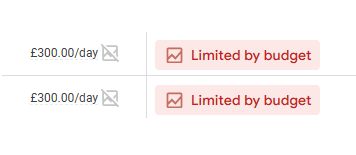
If the campaign is profitable, lead quality is strong, search terms are clean, and tracking is trustworthy, being limited by budget can be a good sign. It may mean the account has more room to scale.
If the campaign is wasting money, bringing in weak leads, or spending on the wrong search terms, the budget cap may be protecting you. Raising it would only help the account lose money faster.
That is how we read the label at River Stone:
Limited by budget is information. It is not an instruction.
What “Limited by budget” actually means
Google Ads shows “Limited by budget” when your campaign budget is restricting delivery.
In plain English, your campaign is eligible for more auctions than your current daily budget can afford. Google has to pace the campaign, skip some eligible auctions, or stop showing ads once the budget is used.
Google’s own budget guidance explains that your average daily budget is the amount you are roughly comfortable spending each day over a month, while Google can spend more on busy days and less on quieter days. For most campaigns, the daily spending limit can be up to 2x the average daily budget, and the monthly spending limit is usually average daily budget multiplied by 30.4.
That matters because a campaign spending more than its daily budget on one day is not the same as being broken.
Google is averaging spend across the month.
The “Limited by budget” label is about missed delivery opportunity, not a billing error.
Google also defines Search lost IS (budget) as the percentage of time your ads were not shown on Search because of insufficient budget.
That metric is often more useful than the label itself.
The label says:
“Budget may be holding you back.”
Search lost IS (budget) helps answer:
“How much is it holding you back?”
Do not panic when you see it
Most business owners see “Limited by budget” and feel like Google is telling them:
“Spend more or lose.”
That is not how we would treat it.
Google’s job is to find more eligible traffic. Your job is to decide whether that traffic is profitable.
A campaign can be limited by budget and healthy.
A campaign can be limited by budget and dangerous.
A campaign can be limited by budget because demand is strong.
A campaign can be limited by budget because the account is paying for waste too quickly.
Those are completely different situations.
This is why we do not like audits that list “campaign limited by budget” as a finding by itself. The Google Ads interface already told you that. The work is figuring out what kind of “limited” you are dealing with.
The three situations we see most often
When we review limited-by-budget campaigns, they usually fall into one of three groups.
1. Healthy but capped
This is the good version.
The campaign has:
- Clean search terms
- Strong conversion rate
- CPA at or below target
- Good lead quality or profitable sales
- Reliable tracking
- Enough conversion data
- Clear business capacity for more work
In this case, limited by budget may mean the campaign has room to grow.
If you are getting qualified leads at a profitable cost, and the campaign keeps running into the cap, increasing budget may be the right move.
The key is to scale in steps.
We usually prefer controlled increases, not giant jumps. A 10-20% increase, followed by a waiting period long enough to read conversion quality, is safer than doubling spend because Google showed a recommendation.
2. Wasteful and capped
This is the dangerous version.
The campaign hits its budget, but the spend is going toward:
- Loose broad or phrase match searches
- Wrong locations
- Informational queries
- Job seekers
- DIY searches
- Low-budget buyers
- Competitor research
- Brand leakage
- Bad landing pages
- Spam or weak form fills
- Calls that never become opportunities
In this case, limited by budget is not your problem.
Waste is your problem.
If a local service business has $50 per day and CPCs are $15-$30, a few bad clicks can consume the budget before good searches ever happen. We have seen this repeatedly in local lead gen, renovation, roofing, dental, and other high-CPC service accounts.
When the account is wasting spend, raising budget only gives waste more oxygen.
Fix the waste first.
3. Target-constrained and confusing
This is becoming more important in 2026.
Google is updating how target-based bid strategies behave when campaigns are limited by budget. Starting August 17, 2026, Google says limited-by-budget campaigns using Target CPA, Target ROAS, and Target CPC for Demand Gen will optimize more consistently toward the set target, even when budgets change.
This matters because some budget-constrained campaigns may have been overperforming their stated targets. For example, a campaign with a $100 target CPA may have recently been delivering at $60 CPA. After the update, Google says performance may move closer to the stated target unless the advertiser adjusts the target.
So if you use Target CPA or Target ROAS, the question is not only:
“Should we increase budget?”
It is also:
“Is our target still the target we actually want?”
If your campaign is limited by budget and beating your target, review it before August 17, 2026. Google says it will not automatically adjust your budgets or bid targets.
That is a big deal.
The decision table
Use this before touching the budget.
| What you see | What it probably means | What to do |
|---|---|---|
| CPA is profitable, search terms are clean, lead quality is good | Budget is a real growth constraint | Increase budget gradually |
| Campaign hits cap but search terms are messy | Budget is being wasted too quickly | Add negatives and tighten targeting first |
| CPC is high and budget dies early | Same budget cannot buy enough clicks | Improve Quality Score, targeting, and bidding |
| Leads are cheap but sales hates them | Conversion tracking is too shallow | Optimize toward qualified leads, not form fills |
| Target CPA/ROAS campaign is limited by budget and overperforming target | 2026 bidding update may change behavior | Review and adjust targets before scaling |
| Campaign is limited but barely spending | Bid strategy, target, or learning phase may be the issue | Do not panic; review recent changes and targets |
| Brand traffic is mixed into general campaigns | Performance may be inflated | Separate brand and non-brand before increasing spend |
The rule is simple:
Increase budget only when the traffic is already worth buying.
The first thing to check: Search lost IS (budget)
Do not make the decision from the status label alone.
Check Search lost IS (budget).
If Search lost IS (budget) is low, the label may not be a serious constraint.
If it is high, budget is causing real missed impression opportunity.
But even then, do not stop there.
High Search lost IS (budget) tells you that you are missing eligible auctions. It does not tell you whether those auctions are profitable.
That is the missing step.
Before increasing budget, check:
- Which queries are already spending?
- Which queries are converting?
- Which queries are wasting money?
- Is brand inflating results?
- Is the campaign driving qualified leads or just leads?
- Are conversions tracked correctly?
- Is the landing page converting the right people?
- Is CPA or ROAS actually profitable?
Search lost IS (budget) tells you there is more traffic.
Your account data tells you whether that traffic deserves money.
The second thing to check: search terms
This is where many accounts reveal the truth.
If a campaign is limited by budget, we want to know what used the budget.
In local service accounts, we often find the same pattern:
The business is not truly limited by budget.
It is limited by waste.
The campaign may be paying for searches like:
- jobs
- salary
- course
- free
- DIY
- near me searches with unclear intent
- cheap service searches
- wrong-city searches
- informational searches
- competitor research
- product/service mismatch
For a renovation company, searches like “bathroom ideas” or simply “bathroom near me” are not the same as “bathroom renovation contractor.”
For a roofing company, “roofing jobs” and “roof replacement contractor” do not belong in the same budget conversation.
For a dentist, “dental school” and “dental implants near me” are not the same commercial opportunity.
For ecommerce, a product search from a ready buyer and a “free template” search should not be treated equally.
If the search terms are messy, the fix is not more budget.
The fix is:
- Add negative keywords
- Tighten match types
- Separate intent levels
- Improve ad copy qualification
- Review locations
- Cut weak services or products
- Route high-intent terms into cleaner campaigns
You do not want to buy more traffic until you know the current traffic is clean.
The third thing to check: CPC
Limited by budget often feels like a budget problem, but sometimes it is a CPC problem.
If every click is expensive, the same daily budget buys fewer chances.
Example:
If your campaign has $50 per day:
- At $5 CPC, you can buy roughly 10 clicks
- At $10 CPC, you can buy roughly 5 clicks
- At $25 CPC, you can buy roughly 2 clicks
In a high-CPC market, small budgets disappear fast.
This is why “limited by budget” and “CPC too high” often travel together.
Before increasing spend, ask:
- Are we paying too much because Quality Score is weak?
- Are ads poorly matched to keywords?
- Is the landing page weak?
- Are competitors pushing bids up?
- Are match types too broad?
- Is Smart Bidding chasing low-quality conversions?
- Are we bidding on services that cannot support the CPC?
Lowering CPC is not always possible, especially in competitive markets. But improving relevance, tightening searches, and improving landing page experience can help the same budget reach further.
The fourth thing to check: conversion tracking
This is where expert thinking matters.
Budgets and bids are not isolated. They depend on goals, conversion tracking, and unit economics.
If conversion tracking is wrong, the budget decision is built on sand.
Before increasing budget, confirm:
- Forms are firing once
- Calls are real calls, not accidental clicks
- Purchases and revenue are accurate
- Duplicate conversions are not counted as primary
- Qualified leads are separated from raw leads
- Offline conversions are imported where possible
- Target CPA or Target ROAS is based on business math
Google’s target-bidding update also makes this more important. Google says the August 17, 2026 update will affect all conversion types and sources within affected campaign types, including online and offline conversion sources where applicable.
If the campaign is optimizing toward bad conversions, more budget can make the reporting look busier while the business gets worse leads.
This is especially dangerous in lead generation.
A form fill is not always a lead.
A lead is not always qualified.
A qualified lead is not always a sale.
If your account is limited by budget while optimizing toward weak form fills, do not raise the budget first.
Fix the signal first.
The fifth thing to check: unit economics
This is the part most Google Ads dashboards do not answer.
Can the business actually afford more of this traffic?
For lead generation, we want to know:
- Average deal value
- Lead-to-qualified-lead rate
- Qualified-lead-to-sale rate
- Close rate
- Gross margin
- Sales capacity
- Maximum acceptable cost per qualified lead
- Maximum acceptable CAC
For ecommerce, we want to know:
- Average order value
- Gross margin
- Product margin
- Return rate
- Shipping cost
- Discount impact
- Repeat purchase rate
- Target ROAS or profit target
If the economics work, budget can scale.
If the economics do not work, more spend simply creates a bigger problem.
Growth targets drive minimum viable budgets, but budgets have to be validated against market demand, unit economics, and efficiency targets. We agree. A budget is not just what the business wants to spend. It is what the business can spend while still reaching the target outcome.
That is why we do not ask only:
“Can we afford more budget?”
We ask:
“Can we afford more customers or leads at this cost?”
When raising the budget is the right move
Raise the budget when the campaign has earned it.
Good signs:
- Search terms are clean
- CPA is profitable
- ROAS is above target
- Lead quality is confirmed
- Sales team wants more of the same leads
- Landing page conversion rate is stable
- Conversion tracking is accurate
- Budget is the real constraint
- Search lost IS (budget) is meaningful
- The business can handle more volume
In that case, limited by budget can be a growth signal.
The move is not to panic.
The move is to scale deliberately.
For many accounts, we would increase budget in steps, then wait long enough to judge the conversion cycle. A business with same-day purchases can read results faster than a lead-gen business with a two-week sales cycle.
Google’s 2026 target-bidding FAQ also recommends waiting 1-2 conversion cycles before evaluating campaign performance after changes.
That is sensible.
Do not judge a budget increase before the business has had time to see whether the additional traffic was any good.
When raising the budget is the wrong move
Do not increase budget just because the label is annoying.
Hold the budget when:
- Search terms are wasteful
- CPA is already too high
- Lead quality is poor
- Sales cannot close the leads
- Tracking is unreliable
- The account recently changed bid strategy
- The campaign is still learning
- Broad match is pulling weak intent
- Brand traffic is inflating performance
- Target CPA or ROAS does not match business goals
- The landing page is not converting qualified visitors
In these cases, the budget cap may be doing you a favor.
It is stopping a weak system from spending more.
This is why we like the phrase:
Fix waste before funding scale.
What to fix before adding budget
Here is the order we would usually follow.
1. Confirm the constraint is real
Check whether the campaign actually hits its cap regularly.
Look at:
- Daily spend vs daily budget
- Search lost IS (budget)
- Time of day performance
- Budget recommendations
- Impression share trends
- Recent changes
Do not react to one odd day.
2. Clean search terms
Review the search terms report.
Add negatives.
Separate high-intent and low-intent traffic.
If the campaign is spending on weak queries, recover that budget first.
3. Check conversion quality
Look beyond conversions.
For lead gen, check qualified leads, booked calls, closed deals, and sales feedback.
For ecommerce, check revenue, margin, returns, product mix, and repeat value.
4. Fix CPC pressure
Improve:
- Keyword relevance
- Ad relevance
- Landing page experience
- Match type control
- Device/location performance
- Ad assets
- Quality Score signals where relevant
Lower CPC can stretch the same budget further.
5. Review bid strategy
If you are using Target CPA or Target ROAS, make sure the target reflects the business goal.
If the campaign is limited by budget and overperforming the target, review the August 17, 2026 update carefully.
If you are using Maximize Clicks, be careful. That strategy can spend quickly on traffic volume, not necessarily business value.
6. Fix campaign structure
Check whether:
- Brand and non-brand are mixed
- Too many campaigns split the same small budget
- Low-priority services are stealing spend
- High-margin products are grouped with low-margin products
- Locations should be separated
- Shared budgets are helping or hiding problems
Structure decides where budget flows.
Bad structure makes budget decisions cloudy.
7. Raise budget last
Once the campaign is clean, profitable, and constrained, increase budget gradually.
Then monitor:
- CPA
- ROAS
- Qualified lead rate
- Search terms
- Impression share
- CPC
- Conversion rate
- Sales feedback
More budget should buy more of what already works.
It should not buy more uncertainty.
A simple example
Imagine a local renovation campaign with a $50 daily budget.
It gets flagged as limited by budget.
At first, the owner thinks:
“We need to spend $100 per day.”
But the search terms show:
- bathroom ideas
- bathroom near me
- kitchen images
- cheap cabinet repair
- renovation jobs
- DIY bathroom remodel
That is not a budget problem.
That is an intent problem.
If the owner doubles the budget, the campaign may simply buy twice as many weak clicks.
Now imagine a different campaign.
The search terms show:
- bathroom renovation contractor
- kitchen remodeling company
- full home renovation contractor
- design build renovation near me
The leads are qualified.
The sales team confirms good opportunities.
CPA is within target.
The campaign loses 35% of search impression share to budget.
That is a very different situation.
Now increasing budget may be the right move.
Same label.
Different decision.
The 2026 update makes this more important
The August 17, 2026 target-bidding update is one reason businesses should pay closer attention to limited-by-budget campaigns right now.
Google is not saying everyone must increase budget.
Google is saying limited-by-budget campaigns using affected target-based bid strategies will optimize more consistently toward the stated target.
That means if your target does not reflect your actual business goal, you may see changes.
For example:
If your Target CPA is $100 but the campaign has recently been delivering at $60 CPA, Google says the campaign may move closer to the $100 target after the update unless you adjust the target.
That does not mean Google is stealing performance.
It means your stated target matters more.
So before August 17, review:
- Limited-by-budget campaigns
- Target CPA settings
- Target ROAS settings
- Recent actual CPA or ROAS
- Conversion delay
- Offline conversion data
- Shared budget setups
- Portfolio bid strategies
- Campaigns outperforming stated targets
If the current target is too loose, tighten it.
If the target reflects your business goal, keep it.
If the campaign is profitable but constrained, consider giving it budget room.
Do not sleepwalk through this change.
Common mistakes
Mistake 1: Applying Google’s recommended budget without checking profit
Google can estimate more traffic.
Google cannot know your margins, sales capacity, lead quality, close rate, or cash flow unless you feed that data back properly.
Use the recommendation as a data point, not a command.
Mistake 2: Treating the label as bad
Limited by budget can be a healthy growth signal.
If the campaign is profitable, being capped means you may be leaving good demand on the table.
Mistake 3: Funding waste
If the campaign is already buying bad clicks, more budget makes the problem bigger.
Mistake 4: Ignoring lead quality
Cheap leads are not always good leads.
If sales does not want the leads, the campaign has not earned more budget.
Mistake 5: Forgetting brand leakage
If brand searches are mixed into general campaigns, performance may look stronger than it is.
Separate brand and non-brand before scaling.
Mistake 6: Making too many changes at once
If you raise budget, change target CPA, edit keywords, change landing pages, and add new ads at the same time, you will not know what caused the result.
Make controlled changes.
Final answer
Limited by budget is not a command to spend more.
It is a question.
Is this campaign capped because it has more profitable demand than the budget can capture?
Or is it capped because the campaign is wasting the budget too quickly?
That is the decision.
At River Stone, we do not raise budgets just to clear a warning label. We first check search terms, conversion tracking, lead quality, unit economics, CPC pressure, bid strategy, and campaign structure.
If the campaign is clean and profitable, we scale.
If the campaign is leaky, we fix the leak.
More budget should be earned by performance, not triggered by a status message.
FAQ
What does Limited by budget mean in Google Ads?
It means your campaign’s average daily budget is not high enough to cover all eligible traffic under your current settings. Google may pace delivery, skip auctions, or stop showing ads once the budget is used. It is not a penalty and it does not automatically mean the campaign is bad.
Should I increase my budget when I see Limited by budget?
Only if the campaign is already profitable or producing qualified leads at a cost the business can afford. If the campaign has poor search terms, weak lead quality, bad tracking, or unprofitable CPA/ROAS, fix those issues before adding spend.
How do I know if the campaign is truly limited?
Check whether the campaign hits its budget regularly and review Search lost IS (budget). If that number is meaningful, budget is causing missed impressions. Then check whether the missed traffic is likely to be profitable before increasing spend.
Can I fix Limited by budget without spending more?
Sometimes, yes. You can stretch the same budget by cutting wasted search terms, adding negative keywords, tightening locations, improving ad relevance, improving landing pages, lowering CPC, and restructuring campaigns so budget goes to the highest-value searches.
Why does Google say Limited by budget when my campaign barely spends?
This can happen when Google estimates that your budget is too low for the available opportunity under your current bid strategy or settings. It can also happen around recent bid strategy changes, restrictive targets, learning periods, or pacing. Do not assume the campaign needs more budget until you review recent changes and performance.
Does Limited by budget hurt Quality Score?
The label itself does not hurt Quality Score. But if budget limits reduce data, impression coverage, and testing volume, the campaign may have fewer opportunities to learn. Quality Score is more directly tied to expected CTR, ad relevance, and landing page experience.
What is the difference between Limited by budget and Limited by target?
Limited by budget means your budget is restricting delivery. Limited by target means your Target CPA or Target ROAS is restricting delivery because Google cannot find enough auctions that meet the target. The fixes can be opposite: one may require more budget, while the other may require adjusting the target or improving conversion quality.
How much should I increase budget by?
There is no universal number. In many accounts, smaller increases of 10-20% are safer than large jumps. The right increase depends on conversion volume, sales cycle, CPA or ROAS stability, lead quality, and how much extra demand the campaign can profitably capture.
About The Author

